How can we help?
Short, step-by-step answers for everything in Devlo — from your first campaign to your DNS records.
Getting started
Your first hour with Devlo.
Create your account+
Go to app.devlo.co.uk and fill in your name, email and a password — or continue with Google.
Tick the box to accept the Terms of Service and the Anti-Spam Policy. Devlo is for permission-based email only.
Your company is created for you, you are its Admin, and a 15-day free trial starts. No card is needed.
The five steps to your first campaign+
Add your sending mailbox in Settings›Email Sending → Default Sender.
Domain Health on the same page reads SPF, DKIM, DMARC and blocklists for you.
Campaigns›Import Contacts — Excel or CSV.
Campaigns›New Campaign — write it yourself or with AI, and preview it on a phone.
Launch, then follow it live in Analytics›Campaign History.
Find your way around+
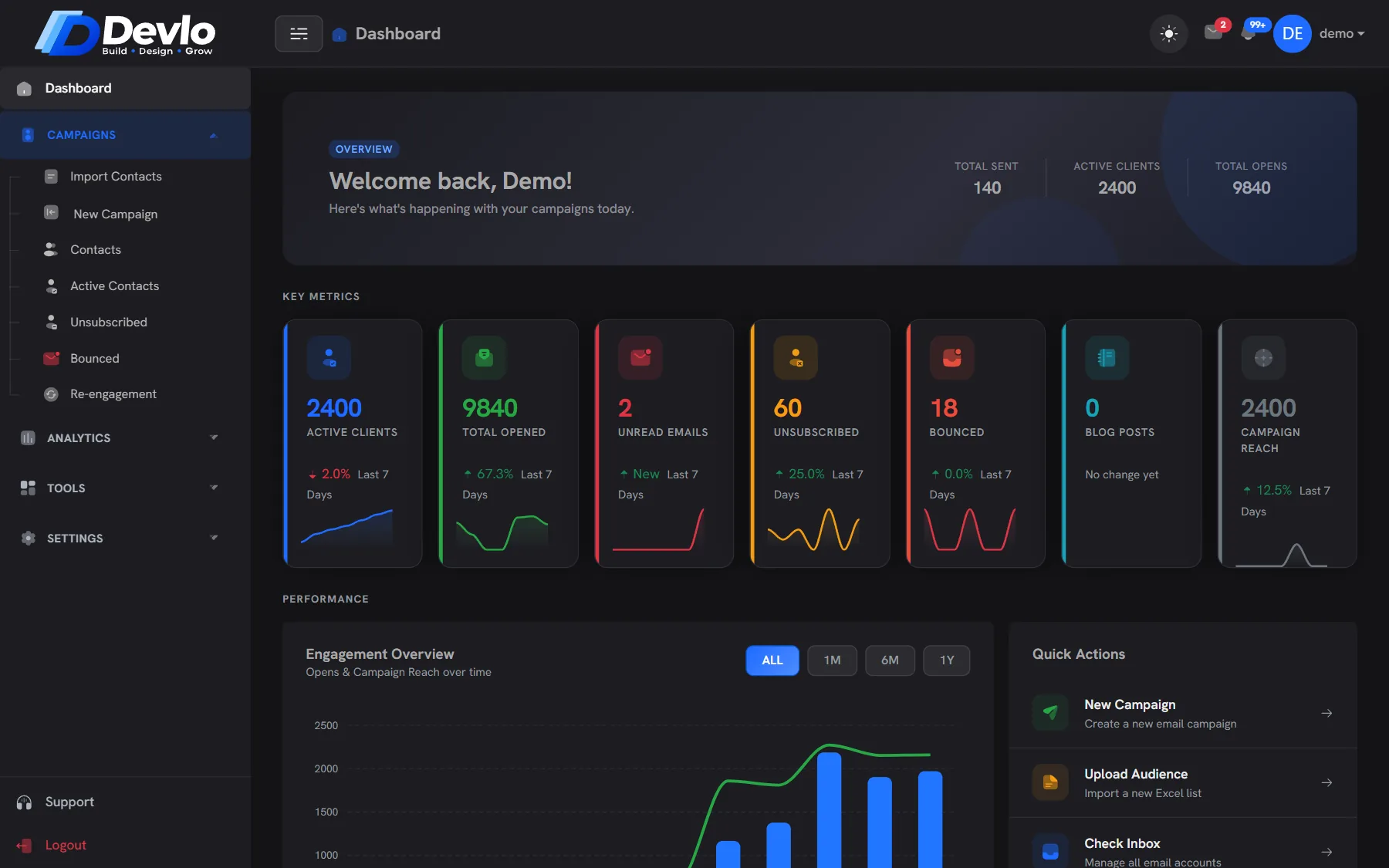
- Campaigns — import contacts, write and send, contacts, unsubscribed, bounced, re-engagement.
- Analytics — campaign history and reports, locations, send times, engagement.
- Tools — inbox, WordPress, Social & Design, tasks, notes, team chat.
- Settings — email sending, team, company profile, plan and usage.
Mailboxes & sending
Connect Gmail, Outlook, Yahoo or any SMTP.
Default Sender or Other Mailboxes?+
- Default Sender — the account campaigns go out from, plus the sending speed (batch size, delay, maximum per hour). Every user has one.
- Other Mailboxes — extra accounts for the inbox, which can also be picked as the sender of a campaign.
Devlo never sends from servers of its own: every email leaves through a mailbox or SMTP account you connect.
Connect Gmail or Google Workspace+
In your Google Account → Security. Google requires it before it allows App Passwords.
Google Account → Security → App passwords. Copy the 16-character password.
In Settings›Email Sending, press Gmail: server smtp.gmail.com, port 587. Enter your address, leave SMTP Username blank, and paste the App Password.
Press Test to check the login, then send a test email to yourself.
Google limits how much a Gmail account can send per day — far less for a personal account than for Google Workspace. For larger lists, use an email-sending service.
Connect Outlook, Yahoo, Zoho or iCloud+
- Outlook / Microsoft 365 — server smtp.office365.com (or smtp-mail.outlook.com for personal accounts), port 587. Some Microsoft accounts no longer allow password sign-in for SMTP; if the test fails, ask your IT admin or use an email-sending service.
- Yahoo Mail — server smtp.mail.yahoo.com, port 465 or 587, with an app password from Yahoo Account Security.
- Zoho Mail — press Quick fill “Zoho” (smtp.zoho.com, port 465). Use smtp.zoho.eu if your account is in the EU.
- iCloud Mail — server smtp.mail.me.com, port 587, with an app-specific password from your Apple Account.
Use Amazon SES, Mailgun or Brevo+
Press the matching Quick fill in Settings›Email Sending. These services give you a separate SMTP login — put it in SMTP Username and use the SMTP key or password they issue. They have no inbox, so leave the IMAP server blank. New Amazon SES accounts start in a sandbox until you request production access.
Link to this answerUse a mailbox on your own domain (cPanel)+
Choose Quick fill “Custom”. Your host’s webmail or cPanel “Connect devices” page lists the outgoing server. Sign in with the full email address and leave SMTP Username blank. Most cPanel hosts allow about 50 emails an hour, so set Max per hour below that.
Link to this answerSet a safe sending speed+
- Batch size — how many emails go out together.
- Delay — the minutes between batches.
- Max per hour — a cap for all campaigns from one domain together. 0 means no limit, for services such as Amazon SES.
Slow and steady reaches more inboxes than a blast. See the ramp-up plan for a new domain.
Read and answer replies in the inbox+
Add the mailbox under Other Mailboxes with its IMAP server, then open Tools›Inbox. Press Sync to fetch new mail, star what needs a follow-up and reply with attachments. Each mailbox can have its own signature.
Link to this answerContacts & lists
Import, clean and organise.
Import contacts from Excel or CSV+
Campaigns›Import Contacts.
.xlsx, .xls or .csv. Only an email column is required; name, company, location and phone are picked up automatically.
Devlo shows new contacts, likely typos (with the suggested fix), broken addresses, duplicates and people who unsubscribed before.
Fix the typos in one click and import. Past unsubscribes are never added back.
Why was a contact not imported?+
- The address is broken — for example no @, a space, or no dot in the domain.
- It was already in the file or in your account.
- The person unsubscribed before. Devlo keeps them out on purpose.
Unsubscribed and bounced contacts+
Campaigns›Unsubscribed and Campaigns›Bounced list them. Unsubscribes are permanent. Addresses that hard-bounce — or soft-bounce again and again — stop receiving campaigns automatically.
Link to this answerExport your contacts+
Use Export CSV on the Contacts page. Your data is yours; you can take it with you any time.
Link to this answerCampaigns
Write, test and send.
Create and send a campaign+
Campaigns›New Campaign.
Pick the Default Sender or another mailbox, then tick the lists or groups to send to.
Write the subject and body, or describe the email and use Write with AI. Merge tags such as {name} are filled in per contact.
Check the mobile and desktop preview, then Launch Campaign.
Test two subject lines (A/B)+
Add a second subject line and the list is split 50/50. The campaign report shows both — sent, open rate, click rate — and marks the winner.
Link to this answerWhy did my campaign stop before sending?+
- SPF, DKIM or DMARC on the sending domain is broken. The campaign waits and shows what to fix — you can still choose to send anyway.
- The hourly cap for the domain was reached; sending carries on in the next hour.
- The mailbox login failed. Test it again in Settings›Email Sending.
Is an unsubscribe link added?+
Yes, to every campaign email, together with the one-click unsubscribe header that Gmail and Yahoo ask for. Do not remove it.
Link to this answerDomain health
SPF, DKIM, DMARC and blocklists.
Check your domain+
Open Settings›Email Sending → Domain Health. Each record is read live from DNS and shown green, amber or red, with the reason in plain words and a corrected record to copy.
Link to this answerFix SPF, DKIM or DMARC+
- Change records where your domain’s DNS is managed — Cloudflare, your registrar, or cPanel’s Zone Editor.
- Paste the record Devlo suggests, then press Check again. DNS changes can take a few minutes to a few hours.
- Read the deliverability guide for what each record does.
What if I am on a blocklist?+
Devlo shows which list and a link to its removal page. Fix the cause first — a hacked mailbox or a list that was not collected with permission — then request removal. A listing warns you; it never stops a campaign by itself.
Link to this answerReports
Opens, clicks and timing.
Where are my results?+
Analytics›Campaign History lists every campaign; open one for its report. Analytics›Send Times shows the hours and days your audience reads, and Analytics›Locations roughly where.
Link to this answerWhy are opens not exact?+
Opens come from a tiny image. Some apps load images automatically and others block them. Devlo filters known bots and early scanner opens, but treat opens as a trend, and clicks as the stronger signal.
Link to this answerWin back quiet contacts+
Campaigns›Re-engagement sorts contacts into tiers by activity. Send the quiet ones a short “still interested?” email with a keep-me link, and suppress those who stay silent. More in this playbook.
Link to this answerTeam & tools
People, WordPress, design and AI.
Invite your team+
Settings›Team → add a member with a role: Admin (everything), Manager or Employee. Roles decide who can send campaigns and change settings. How many members you can add depends on your plan.
Link to this answerConnect a WordPress site+
Add the site in Settings›Email Sending → WordPress Sites with a WordPress Application Password (Users → Profile → Application Passwords in WordPress). The optional Devlo Bridge plugin adds Elementor-aware duplication and fuller site reports.
Link to this answerTurn on AI features+
Add your own AI provider key in Settings›Email Sending → AI Content Generation (and AI Image Generation for Social Studio). AI only drafts and suggests — nothing is sent or published until you press the button.
Link to this answerPublish to Facebook and Instagram+
In Settings›Email Sending → Social Media Configuration, Connect with Facebook and choose your Page. Posts from Social & Design can then be published to the Page and its Instagram account.
Link to this answerPlans, billing & data
Trial, plans, cancelling and your data.
Free trial and plans+
Every account starts with a 15-day free trial. Plans are Free, Starter (£19/month), Professional (£39/month) and Enterprise (£99/month); yearly plans cost ten months. See your usage in Settings›Plan & Usage.
Link to this answerUpgrade or cancel+
Upgrade from Settings›Upgrade Plan. You can cancel any time; your plan runs to the end of the period already paid for. If online payment is not available when you upgrade, email [email protected] and we will set it up for you. Refunds follow the Refund Policy.
Link to this answerDelete your account and data+
Read how to delete your account and data, or email [email protected] from the address on your account.
Link to this answerContact support+
Use Support in the app, or email [email protected]. A real person answers, usually within one working day.
Link to this answerNo answers match that search. Try another word, or email [email protected].
Still stuck?
Write to us — a real person answers, usually within one working day.
Ready togrow smarter?
Bring your list, we'll bring the deliverability. Set up takes an afternoon, and the Free plan stays free.