Clean lists, before the first send.
Import from Excel or CSV and Devlo checks every row: likely typos, broken addresses, duplicates and people who unsubscribed before — then keeps your lists tidy as you go.
Import Contacts
NSEvery contact,
in the right place.
A list is only as good as its addresses. Devlo cleans them on the way in and keeps them clean.
Excel and CSV import
Drop in a file with any column order. Email, name, company, location and phone are found for you.
Typo fixes
gmial.com, yaho.com, hotmial.com — likely typos are caught and the right address is suggested.
Broken addresses
Missing @, spaces and domains without a dot are flagged with the reason, before they bounce.
Unsubscribes respected
Anyone who unsubscribed before is never added back, whichever list you import into.
Groups and lists
Keep contacts in groups, add one by hand, and pick any group when you send.
Encrypted at rest
Contact email addresses are stored encrypted, and you can export your lists to CSV any time.
Find the problems before they cost you.
Every import opens a review: what is new, which addresses look like typos, which are broken, which were unsubscribed and which appear twice. Fix the typos in one click.
New, typos, invalid, duplicates, unsubscribed Fix typos and import Or skip, or add anyway
Import Contacts
NSKnow who is still listening.
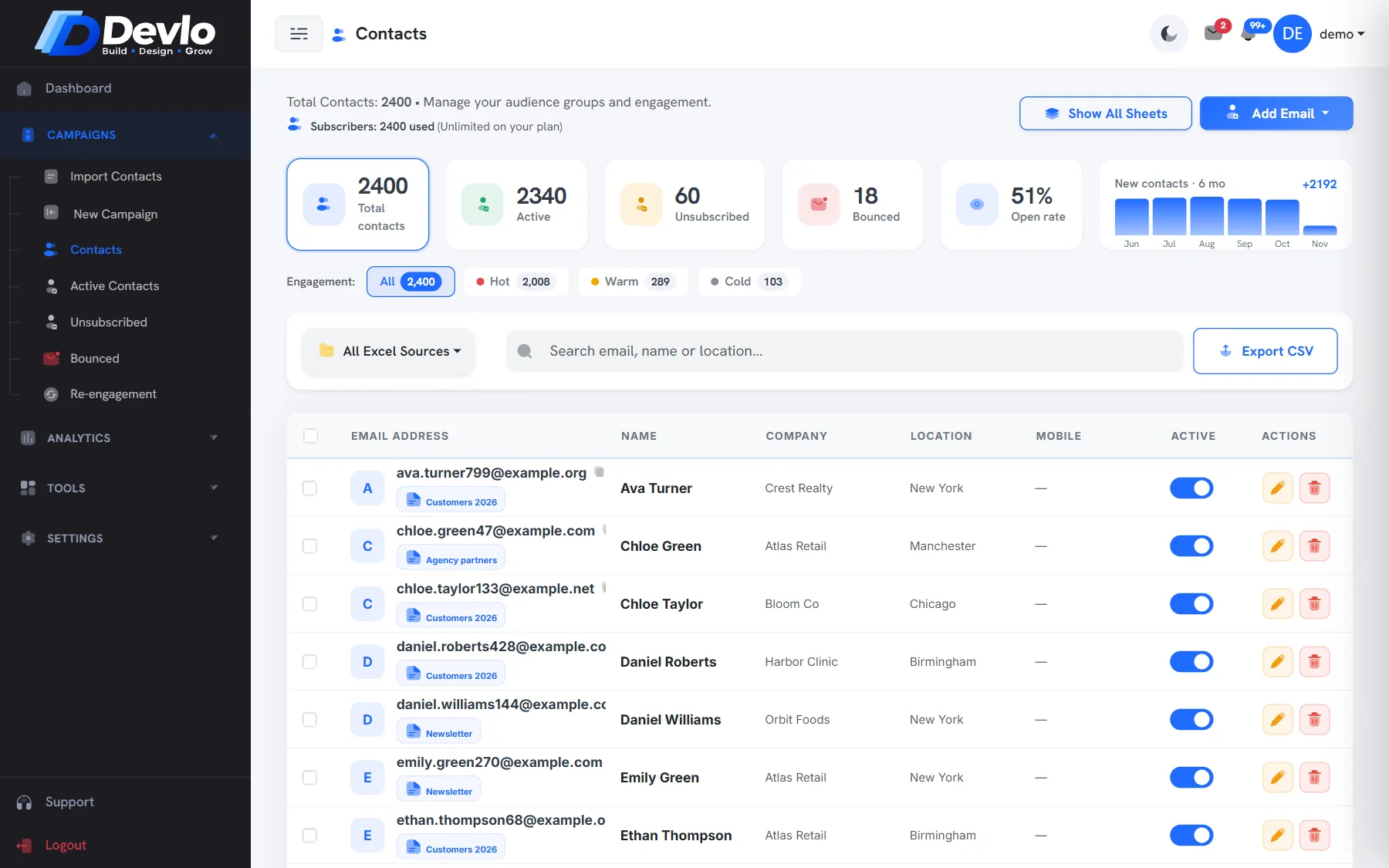
See every contact with its activity, filter by how engaged they are, and keep separate views of active, unsubscribed and bounced addresses.
Engagement filters Active, unsubscribed and bounced views Export to CSV
Good to know.
Excel (.xlsx, .xls) and CSV. Only the email column is required; the rest is optional.
Each address is imported once. You can tick a box to import every copy if you really want them.
Only if they ask. Past unsubscribes stay out of imports; a contact can be resubscribed from their record.
Better together.
Ready togrow smarter?
Bring your list, we'll bring the deliverability. Set up takes an afternoon, and the Free plan stays free.